Configuring firewall rules to allow an application requires creating a specific, intelligent rule that identifies the application’s unique traffic signature and permits only that traffic to pass. This approach is fundamental to maintaining a robust security posture, distinguishing precise access control from simply opening a port.
Why Granular Firewall Rules Are Non-Negotiable
In modern network architectures, the legacy practice of opening a port for an application is a significant security liability. While it may appear to be a quick solution, it creates an unnecessary attack vector. The core challenge for IT professionals is balancing operational requirements with stringent security protocols, a task of increasing complexity.
Essential business systems, such as VoIP platforms or critical SaaS applications, require defined pathways through network defenses to function correctly. Creating overly broad rules to accommodate them introduces substantial vulnerabilities. Therefore, the implementation of granular, application-specific firewall rules is a non-negotiable best practice.
The Problem with Port-Based Rules
A traditional port-based rule is a blunt instrument. It permits all traffic on a designated port. For example, opening port 443 for HTTPS traffic allows any application utilizing that port to traverse the firewall. The primary issue with this method is that malicious actors are adept at masking their activities, using common, trusted ports to exfiltrate data or deliver payloads past conventional defenses.
A granular, application-aware rule is significantly more sophisticated. It functions like a security checkpoint that not only verifies the port but also inspects the traffic’s “Layer 7” signature to validate the application itself before granting access. This is a foundational capability of modern, next-generation firewalls.
Mushroom Networks devices are engineered for this type of precise traffic management. Their architecture enables IT administrators to move beyond simplistic port forwarding and implement policies that recognize and filter traffic based on the application’s identity. This ensures that when configuring how to allow applications through a firewall, the method provides maximum security and control.
This level of precision is critical. With cyber threats escalating—a recent study found nearly 72% of cybersecurity professionals globally reported an increase in threats—nuanced firewall configurations are no longer optional. Adopting a granular approach that selectively permits legitimate application traffic is a core strategy for minimizing the network’s attack surface. You can explore additional details about the global cybersecurity outlook and emerging trends.
Your Pre-Flight Checklist for Firewall Configuration

Before proceeding to the Mushroom Networks web UI to implement new firewall rules, a preparatory phase is essential. Attempting configuration without a clear plan can lead to service disruptions or, in a worst-case scenario, device lockout.
This pre-configuration checklist ensures a methodical and successful deployment. First, confirm you possess full administrative credentials. Attempting to modify firewall rules with insufficient permissions is futile; you require the ability to not only create new rules but also to roll back configurations if necessary.
Pinpoint Application Network Needs
Next, precisely identify the application’s network requirements. This extends beyond the application’s name to its detailed technical specifications. Ambiguous information invariably leads to overly permissive rules, which undermines the objective of granular control.
Consult the application developer’s official documentation. You are looking for specific details, including:
- Protocols: Does it utilize TCP, UDP, or a combination?
- Ports: Which specific port numbers are required for inbound and outbound communication?
- Dependencies: Does the application communicate with external services or servers? You will need their IP addresses or hostnames.
For instance, a cloud-based CRM might require access on port 443 (TCP) for its primary servers but also necessitate a connection to a separate authentication service on a different IP range. Overlooking such a dependency will result in an incomplete rule and application malfunction.
A critical—and often overlooked—step is to back up your current router configuration before making any changes. A complete backup serves as a safety net. If a new rule causes unforeseen network issues, you can restore the previous state in minutes instead of engaging in prolonged troubleshooting.
It is also essential to have a clear understanding of your current network topology, including IP addressing schemes. Knowledge of source and destination subnets is fundamental to constructing a precise rule that directs traffic correctly without introducing a security vulnerability. This preparation transforms a potentially complex and high-risk task into a manageable and systematic process.
With the preparatory steps complete, we can proceed to the practical implementation of the firewall rule within the Mushroom Networks interface. This section details how to translate the gathered requirements into a live configuration.
The following walkthrough uses a common scenario: whitelisting a critical cloud-based CRM for an internal team. The process emphasizes precision—permitting legitimate CRM traffic while blocking any other traffic that might attempt to leverage the same ports. Mastering how to allow applications through a firewall correctly is a foundational IT skill.
Getting to the Firewall Interface
First, log into your Mushroom Networks device’s web UI with administrative credentials. Navigate to the firewall section, typically located under a “Security” or “Networking” menu. The interface logically separates inbound rules, outbound rules, logs, and other settings.
This diagram illustrates the typical workflow for creating a new rule.
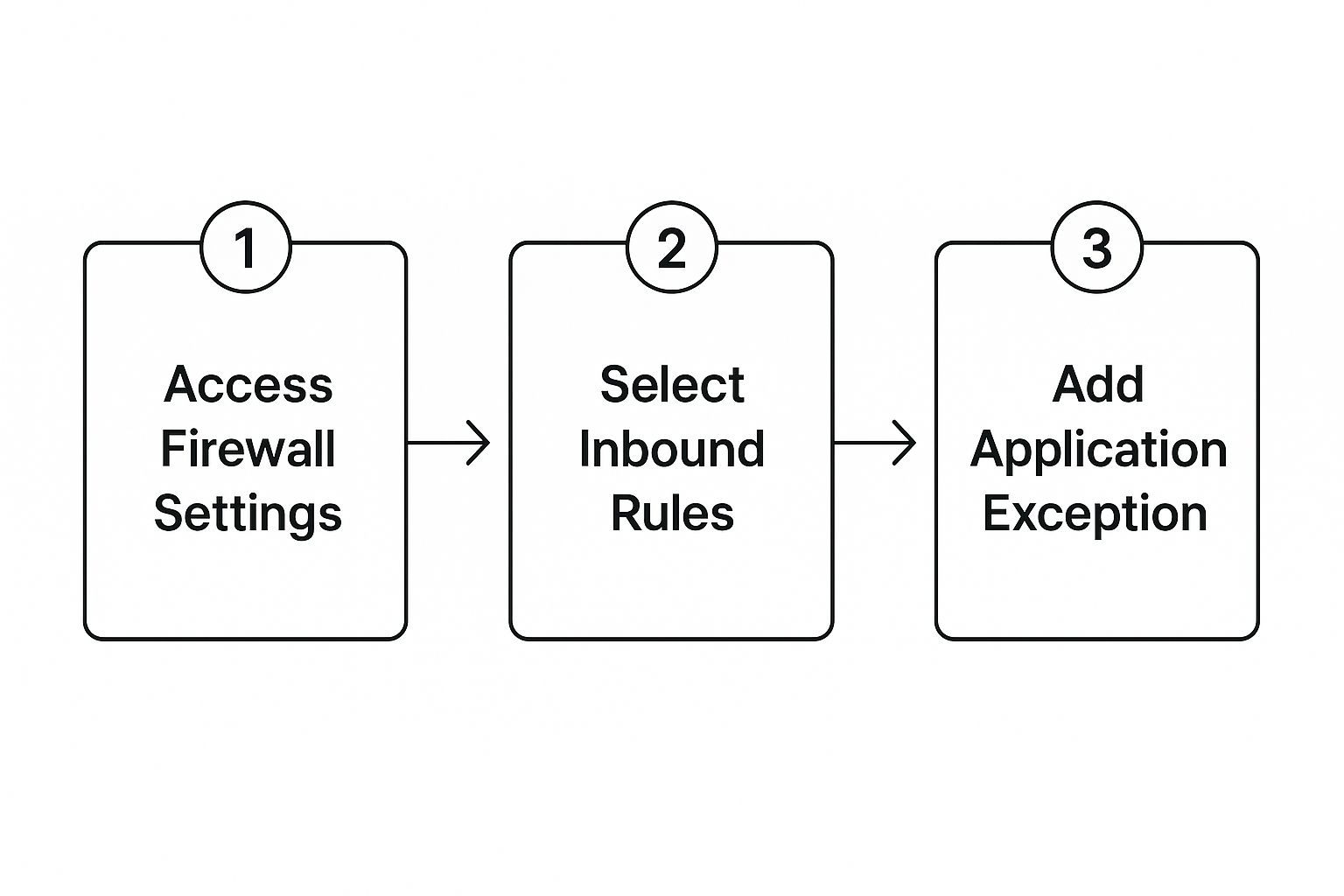
The path from the main firewall settings to defining a specific rule and adding the exception is designed to be straightforward.
Building the Application Allowance Rule
With the firewall section open, you are ready to construct the new rule. This is where the pre-configuration checklist becomes indispensable. The objective is to be as specific as possible to avoid creating a broad rule that could be exploited.
Here is a breakdown of the required fields, using our CRM example:
- Source: Defines the origin of the traffic. For an internal team accessing an external CRM, this will be your local LAN subnet (e.g., your office’s IP address range). Avoid using “Any” unless absolutely necessary.
- Destination: The external IP address or hostname of the CRM servers. The CRM provider’s documentation is the authoritative source for this information.
- Service/Application Profile: Instead of selecting a generic port like 443 (HTTPS), check if Mushroom Networks offers a predefined application signature for your specific CRM. If not, you must specify the protocol (TCP) and the exact port number.
- Action: Set this to Allow or Permit. This instructs the firewall to pass all traffic matching these defined criteria.
A critical technical detail: The order of firewall rules is paramount. Firewalls process rules from top to bottom, and the first rule that traffic matches is the one that is applied. Ensure your new, specific ‘Allow’ rule for the CRM is positioned above any general ‘Deny’ rules to ensure it is triggered correctly.
Finalizing and Applying Your New Rule
After populating the primary fields, additional options will be available. One of the most important is logging. It is a best practice to enable logging for any new rule. This facilitates verification and troubleshooting during the validation phase.
Assign the rule a descriptive name, such as “Allow_Sales_CRM_Access.” This may seem minor, but it significantly improves clarity during future audits or troubleshooting. For administrators managing complex networks, understanding how individual rules fit into the larger network architecture is key. For example, knowing how load balancing routers help in site-to-site VPN setups provides valuable context for creating cohesive network policies.
Once you have confirmed all settings, save and apply the new configuration. The rule should become active immediately. If configured correctly, users should now be able to access the CRM. The final step, detailed next, involves reviewing the firewall logs to confirm that only the intended traffic is being permitted.
Taking Your Firewall Policies to the Next Level

With a few basic rules in place, the next step is to build an intelligent security framework that is scalable and maintainable. This moves beyond individual rule creation toward a more strategic approach to network administration.
The objective is not merely to block malicious traffic but to construct a ruleset that is effective, efficient, and easily managed. A disorganized ruleset becomes a significant liability in a complex network, complicating troubleshooting and updates. The following techniques help prevent this.
Simplify Your Life with Rule Grouping
Consider a standard business function, such as a collaboration suite, which may involve separate rules for video conferencing, chat, and file sharing, each with unique ports and protocols. Instead of managing numerous individual entries, these can be consolidated into a single rule group.
This approach dramatically improves administrative efficiency. To take the entire collaboration suite offline for maintenance, you can simply disable the group with a single action rather than locating and disabling each related rule individually.
Get Dynamic with Aliases
Hardcoding IP addresses directly into firewall rules is a common but flawed practice. While it may seem expedient, it creates a rigid and brittle configuration. When a service provider changes a server IP, you are forced to manually audit and update every rule containing the old address—a tedious and error-prone process.
A more robust method is to use object aliases. An alias is a named variable that can represent an IP address, a network subnet, or a service port.
Practical Example:
Assume you utilize a specific cloud service provider for multiple applications.
- First, create an IP alias (e.g.,
CloudProvider_IPs) and populate it with all of that provider’s server IP addresses. - Next, create a service alias (e.g.,
CustomApp_Ports) to contain all the specific TCP/UDP ports required by your application. - In your firewall rule, you now reference the
CloudProvider_IPsalias as the destination and theCustomApp_Portsalias as the service.
If the provider adds a new server or an application’s port requirement changes, you only need to update the alias. All rules referencing that alias are updated automatically. This ensures consistency and saves considerable administrative effort, particularly in complex WAN environments. This efficiency complements other network management strategies like broadband bonding and WAN optimization.
The “Deny by Default” Mindset
A fundamental principle in advanced firewall management is rule hierarchy. Firewalls process rules sequentially from top to bottom, and the first rule that matches the traffic is executed. This processing logic is why a ‘deny by default’ posture is the industry standard for network security.
This approach dictates that the final rule in your firewall’s list should explicitly block all traffic that has not been specifically permitted by a preceding rule. This creates a powerful security baseline, ensuring that only explicitly vetted traffic can traverse the network.
This is not merely theoretical; it has significant real-world implications. Firewall misconfigurations are a leading cause of security breaches. In public cloud environments, a staggering 23% of security incidents are attributed to configuration errors, with human error as the primary cause. A ‘deny by default’ policy is the most effective defense against accidental exposure resulting from a single misconfigured rule.
How To Validate And Troubleshoot Your New Rules

Deploying a new firewall rule is not the final step. The most critical phase of the process is verifying that the change functions exactly as intended—permitting legitimate traffic without inadvertently creating a new security vulnerability.
This validation and troubleshooting phase distinguishes a controlled deployment from a potential security risk.
The primary tool for this task is the built-in logging capability on your Mushroom Networks device. If you enabled logging when creating the rule, you now have a direct view of its performance. This involves more than simply confirming application connectivity; it requires analyzing precisely what traffic is matching your new rule.
Verifying Traffic Flow
Navigate to the firewall logs in the web UI. You should observe entries corresponding to the traffic you intended to permit. Look for log lines showing your new rule’s name or ID, a “Pass” or “Allow” action, the correct source and destination IPs, and the specified service port. This provides definitive confirmation that the rule is functioning as designed.
Simultaneously, you must confirm that unintended traffic is still being blocked. If your new rule was too broad—for instance, using ‘Any‘ for the destination instead of a specific IP—the logs will reveal this. You might observe traffic from other services on the same source machine being allowed, a clear indication that the rule requires refinement.
A correctly configured firewall rule should generate predictable log entries. If you observe unexpected source IPs or traffic on different ports matching your rule, it is a red flag. This indicates the rule is too permissive and could be exploited.
A Practical Troubleshooting Workflow
Even with meticulous planning, issues can arise. If users report that the application remains inaccessible or other services are now blocked, a systematic troubleshooting approach is required.
A common issue is a performance degradation following the implementation of a new rule. This can sometimes be related to how the firewall inspects traffic, particularly if it interacts with other network policies. In such cases, it is prudent to review how your rules interact with broader network functions. For IT managers seeking to deepen their understanding of network optimization, learning about what to look for in internet load balancers can offer valuable insights.
Begin troubleshooting with these targeted checks:
- Check the Logs for ‘Deny’ Actions: Filter logs for the application’s source IP. If you see ‘Deny‘ or ‘Block‘ entries, it is likely that another rule with higher precedence is overriding your new ‘Allow‘ rule. Rule order is critical.
- Confirm External Dependencies: Many modern applications have hidden dependencies. The primary application may function, but an associated authentication or update service, hosted on a different IP, might be blocked. Use network monitoring tools to identify if the application is attempting to reach other destinations not included in your rule.
- Perform a Ping Test (If ICMP is Allowed): A simple ping to the application’s server can confirm basic network reachability. If the ping fails, the issue may be related to routing or a network-wide block rather than your specific application rule.
Frequently Asked Questions About Firewall Rules
Configuring firewall rules can be a complex task, even for experienced network administrators. The following are common questions from IT professionals working with Mushroom Networks equipment and other advanced firewalls.
What’s the Real Security Difference Between an Application-Based Rule and a Port-Based Rule?
Understanding this distinction is fundamental to modern network security. A traditional port-based rule is a low-level control. It is analogous to issuing a key for a specific door—for example, Port 443. Any entity with that key can enter, regardless of identity or intent. While functional, it lacks sophistication.
An application-based rule, conversely, acts as a security checkpoint at that same door. The checkpoint not only verifies presence at the correct entrance but also inspects credentials to confirm identity. This is “Layer 7” inspection, which works by identifying the unique digital signature of an application’s traffic. It provides a significantly higher level of security by preventing unauthorized services from piggybacking on a common open port. This is the correct method to allow specific applications through your firewall without introducing unnecessary risk.
How Does Rule Order Impact My Network Traffic?
Rule order is a critical factor that often causes configuration errors. Firewalls process rules in a strict, sequential order, from the top of the list to the bottom. Crucially, as soon as a packet of traffic matches a rule, the firewall applies that rule’s action and ceases further processing for that packet.
This top-down logic underscores the importance of rule hierarchy. If a broad “allow” rule is placed above a more specific “deny” rule for the same traffic, the “deny” rule will never be evaluated. It becomes effectively null.
As a best practice, always place your most specific, granular rules at the top of the list. Broader, more general rules should be positioned lower, with a final “deny all” catch-all rule at the very bottom. This ensures that specific exceptions are processed before any general blocks are enforced.
Can Allowing One Application Negatively Affect Another?
Yes, and this typically occurs when a rule is not configured with sufficient precision. A poorly defined rule—for example, one that allows all traffic from a source IP to any destination—can have serious unintended consequences.
Such an overly permissive rule could inadvertently open a pathway for other, non-essential services running on the same host. More dangerously, it could create a traffic route that bypasses other security policies you have implemented. This is precisely why using specific destination IPs and defined service/application profiles is essential. The generic ‘Any’ setting should be avoided wherever possible to isolate the impact of each rule and maintain network segmentation and security.
At Mushroom Networks Inc., our devices are built with these advanced security principles at their core, providing IT managers with the granular control needed to create a secure, efficient, and resilient network. Learn more about our SD-WAN and broadband bonding solutions at https://www.mushroomnetworks.com.