
To enable VLAN, you’d need to go to the EXTRA tab and make the following changes.
- You can go to the “Extra” tab, by changing the URL on your web browser, to point to <IP address of Mushroom unit> and add ‘extra.html’, usually 192.168.254.99/extra.html
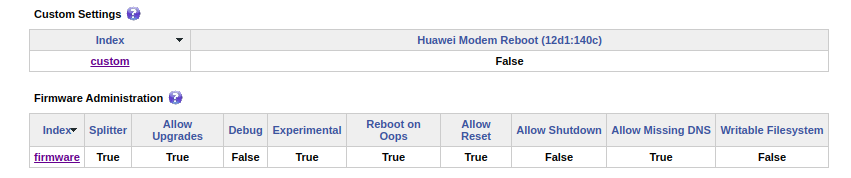
- Under the Firmware Administration section, make sure that the ‘Experimental’ flag is set to True.
- Then in the ‘Custom Settings’ section (under Extra.html) and click on the link ‘Custom’ and the following flags will be displayed.
- Select ‘VLAN Settings Bypass’ to ‘True’
- Click Apply
- Reboot the device
For VLAN configuration follow the below FAQ:
How can I setup VLAN with tagging?