You can open a port and/or port forward on Mushroom by adding inbound rules on the firewall tab.
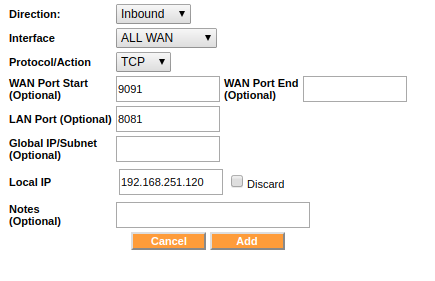
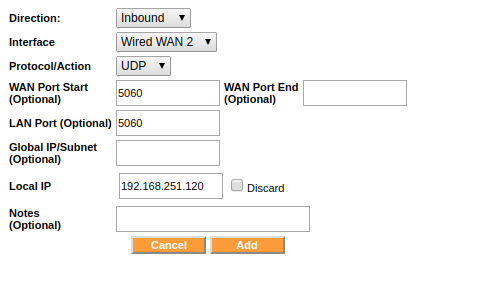
- Under the FIREWALL tab, click on Add Firewall Rule in the Inbound section and add the required firewall rules.
- For example, the attached screenshots are to map the inbound TCP port 9091 to TCP port 8081 and directed to an IP: 192.168.251.120. And to map UDP port 5060 incoming on WAN2 to a different host located at 192.168.251.100.